Creating content can feel exciting at first. But after a while, it can also feel like a lot. A simple content workflow can help you plan, create, publish, and reuse your content without feeling like you need to do everything at once.
If you are a new creator, you may feel pulled in many directions.
You may wonder:
- What should I post today?
- Should I write a blog post or make a video?
- Do I need to post on every platform?
- How do other creators make so much content?
- Why does content creation feel so messy?
First, take a deep breath.
You do not need a perfect system. You only need a simple one that you can repeat.
This guide will walk you through a gentle beginner-friendly workflow you can use for blog posts, videos, Pinterest pins, Instagram posts, TikToks, YouTube Shorts, emails, or affiliate content.
Why New Creators Feel Overwhelmed
Many new creators feel overwhelmed because they try to do too many things at the same time.
They try to:
- Create new ideas every day
- Post on many platforms
- Learn SEO
- Make videos
- Design graphics
- Write captions
- Add affiliate links
- Build an email list
- Track clicks and results
That is a lot for one person.
The problem is not that you are lazy or behind. The problem is usually that there is no clear workflow.
Without a workflow, every piece of content feels like starting from zero.
With a workflow, each piece of content has a path.
What Is a Simple Content Workflow?
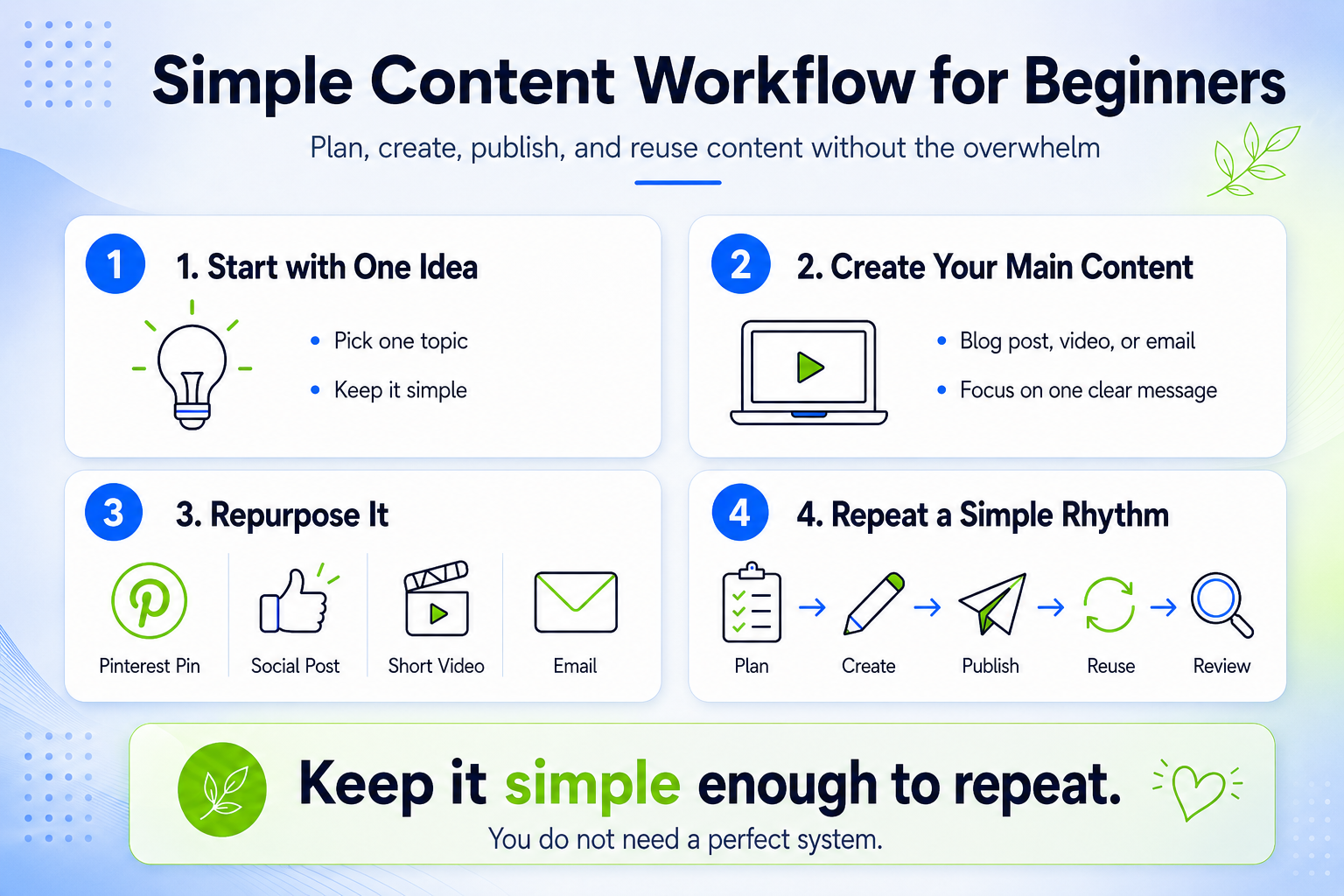
A simple content workflow is a repeatable step-by-step process for creating content.
It helps you know what to do before, during, and after you create.
A beginner-friendly workflow may look like this:
- Choose one content idea
- Plan the main message
- Create the main content
- Publish it
- Reuse it in smaller pieces
- Save what worked for later
That is it.
You do not need a complicated dashboard, ten apps, or a huge content calendar to get started.
You can begin with a notebook, Google Doc, spreadsheet, Notion page, or simple planner.
Step 1: Start With One Main Content Idea
The first step is to choose one main idea.
This is where many creators get stuck because they have too many ideas at once.
Instead of asking, “What should I create for every platform?” try asking:
What is one helpful thing I can share this week?
For example, your main idea could be:
- A beginner guide
- A product review
- A checklist
- A simple tutorial
- A personal lesson
- A mistake you learned from
- A list of tools you use
- A cozy routine or workflow
- A behind-the-scenes creator update
SkillGainz Tip
Try not to judge your idea too early. A simple idea can still become a helpful blog post, short video, Pinterest pin, email, or freebie.
Step 2: Turn the Idea Into One Clear Promise
Before you create the full content, write one clear promise.
This helps your content stay focused.
Your promise can answer this question:
After someone reads or watches this, what will they understand or be able to do?
For example:
- “You will learn how to plan one week of content.”
- “You will learn how to reuse one blog post into five social posts.”
- “You will learn how to create a simple beginner content workflow.”
- “You will learn how to choose content ideas when you feel stuck.”
This step is small, but it makes a big difference.
When your promise is clear, your content feels easier to create.
Step 3: Create the Main Content First
A cozy way to make content easier is to create one main piece first.
This main piece is your “anchor content.”
Anchor content can be:
- A blog post
- A YouTube video
- A podcast episode
- A long Instagram caption
- A newsletter
- A tutorial
- A product review
- A printable guide
For many beginner creators, a blog post is a good anchor because it can be reused in many ways.
One blog post can become:
- Pinterest pins
- Instagram carousel slides
- TikTok talking points
- YouTube Shorts scripts
- Email newsletter content
- Facebook post
- Product recommendation post
- Freebie idea
This saves time because you are not creating from scratch every day.
Step 4: Use a Simple Outline Before You Write
A blank page can feel scary.
So before writing, create a small outline.
Here is a simple outline you can use:
Beginner Content Outline
- Title
- Who this is for
- Problem or struggle
- Simple solution
- Step-by-step tips
- Helpful example
- Soft call to action
For example, if your topic is “simple content workflow,” your outline may look like this:
- Why creators feel overwhelmed
- What a simple workflow means
- How to choose one idea
- How to create anchor content
- How to repurpose it
- How to keep the system easy
This gives your content a calm path to follow.
Step 5: Publish Before It Feels Perfect
Many new creators wait too long to publish.
They keep editing, changing, redesigning, and second-guessing.
Of course, you want your content to be helpful and clear. But it does not have to be perfect.
A helpful post that is published can start working for you.
A perfect post sitting in drafts cannot.
Before publishing, you can do a simple check:
- Is the title clear?
- Is the main idea helpful?
- Are the paragraphs easy to read?
- Did I add useful headings?
- Did I include a call to action?
- Did I check spelling and links?
Once those are done, it may be ready enough.
Step 6: Reuse Your Content in Smaller Pieces
This is where your simple content workflow becomes powerful.
Instead of making brand-new content every day, reuse your main content.
For example, one blog post can turn into:
Pinterest Ideas
- One pin with the blog title
- One checklist-style pin
- One quote pin
- One product pin
- One “how-to” pin
Instagram Ideas
- One carousel post
- One quote graphic
- One short Reel script
- One story poll
- One behind-the-scenes post
TikTok or YouTube Shorts Ideas
- “Here is my simple content workflow”
- “One mistake new creators make”
- “How to reuse one blog post”
- “Content planning tip for beginners”
- “What I do when I feel overwhelmed”
Email Ideas
- Share the main tip from the blog post
- Link to the full article
- Offer a free checklist
- Ask readers what they struggle with most
This method helps you show up more often without creating more stress.
Step 7: Keep a Small Content Bank
A content bank is a place where you save ideas, hooks, captions, links, and posts.
It does not need to be fancy.
You can create sections like:
- Blog post ideas
- Pinterest pin ideas
- Reel or Shorts ideas
- Affiliate product ideas
- Freebie ideas
- Email subject lines
- Helpful links
- Content already published
This makes future content easier because you are not relying on your memory.
When an idea comes to you, save it.
Later, when you feel stuck, your content bank can help you start faster.
Step 8: Create a Gentle Weekly Workflow
A simple weekly routine can help you stay consistent.
Here is a suggestive option:
Monday: Plan
Choose one main topic for the week.
Tuesday: Create
Write the blog post, script, or main content.
Wednesday: Edit
Clean it up, add images, add links, and prepare it for publishing.
Thursday: Publish
Post your main content.
Friday: Repurpose
Turn it into pins, captions, short videos, or emails.
Weekend: Review
Look at what worked and save notes for next time.
You can change this based on your energy, schedule, and platform.
The goal is not to be strict. The goal is to make content feel easier to repeat.
A Simple Content Workflow Example
Let’s say your topic is:
“AI Tools for Beginners”
Your workflow may look like this:
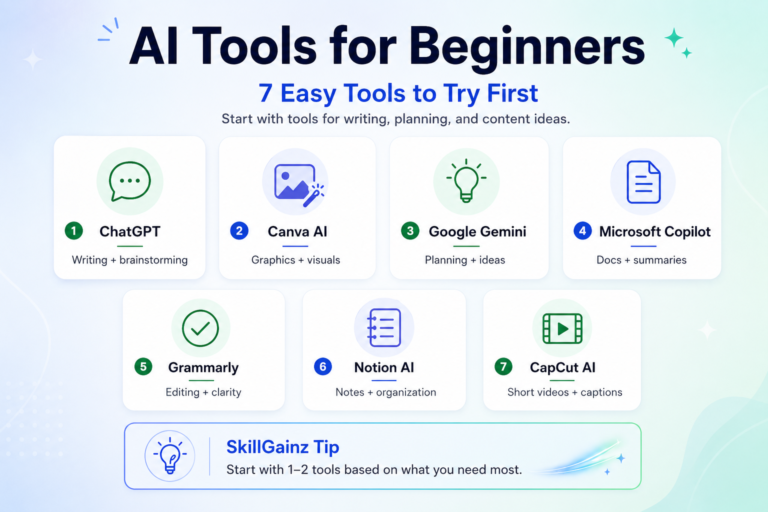
- Write one blog post: “AI Tools for Beginners: 7 Easy Tools to Try”
- Create three Pinterest pins from the post
- Make one Instagram carousel with the main tips
- Record one short video about your favorite tool
- Send one email to your list with the blog link
- Save the topic in your content bank for future updates
Now one idea has become several pieces of content.
That is the beauty of a simple content workflow.
Common Mistakes to Avoid
Here are a few gentle things to watch for:
Trying to Be Everywhere
You do not need to master every platform right away.
You can start with one main platform and one support platform.
For example:
- Blog + Pinterest
- YouTube + Shorts
- Instagram + email
- TikTok + blog
- Blog + email
Creating Without a Goal
Before creating, ask yourself:
- Is this post helpful?
- Is it educational, personal, or promotional?
- What should the reader do next?
A small goal gives your content direction.
Forgetting to Reuse Content
Many creators create once, post once, and move on.
But your content deserves more life than that.
Reusing content is not lazy. It is smart.
Different people see your content in different places.
Helpful Tools for a Beginner Content Workflow
You do not need many tools to begin.
Here are a few simple options:
- Google Docs for writing drafts
- Canva for graphics and pins
- Google Sheets for tracking content
- Notion for organizing ideas
- CapCut for short videos
- MailerLite for email content
- Pinterest for long-term content traffic
Choose tools that make your work easier, not heavier.
If a tool makes you feel more confused, it may not be the right tool for this season.
Final Thoughts: Keep Your Workflow Simple Enough to Repeat
A simple content workflow is not about doing more.
It is about making content creation feel calmer, clearer, and easier to repeat.
You can start with one idea.
Then create one main piece of content.
Then reuse it in a few smaller ways.
Over time, this small workflow can help you build confidence, save time, and show up more consistently.
You do not need to be perfect.
You just need a simple path you can come back to again and again.
References & Helpful Resources
If you want to learn more about building a simple content workflow, beginner SEO, and people-first content, these resources are a helpful place to start.
Official SEO Resources
-
Google Search Central: Creating Helpful, Reliable, People-First Content
A helpful guide for creating content that puts real readers first. -
Google Search Central: SEO Starter Guide
A beginner-friendly guide to help search engines understand your content. -
Google Search Central: Mobile-First Indexing Best Practices
A useful resource for making sure your content works well for mobile visitors.
Helpful SkillGainz Resources
-
AI Tools for Beginners
A simple guide for creators who want to start using AI tools without feeling confused. -
Beginner-Friendly Content Creation Tools
A suggested resource for tools that can help with planning, writing, designing, and publishing content. -
How to Start a Simple Creator Routine
A helpful next step for building a calm weekly routine around content creation.